
Two-factor authentication, usually shortened to 2FA, adds another verification step after your password. If somebody learns or guesses that password, they still need the second factor before they can sign in.
This guide explains the idea in plain language, compares common 2FA methods, and shows how time-based authenticator codes fit into the process.
What does 2FA mean?
2FA means proving your identity with two different types of evidence. Authentication factors are commonly grouped into three categories:
- Something you know: a password or PIN.
- Something you have: a phone, authenticator app, or hardware security key.
- Something you are: a biometric characteristic such as a fingerprint or face scan.
A password plus another password is not true two-factor authentication because both belong to the same “something you know” category. A password plus a code generated on a device uses two different factor types.
How does 2FA work?
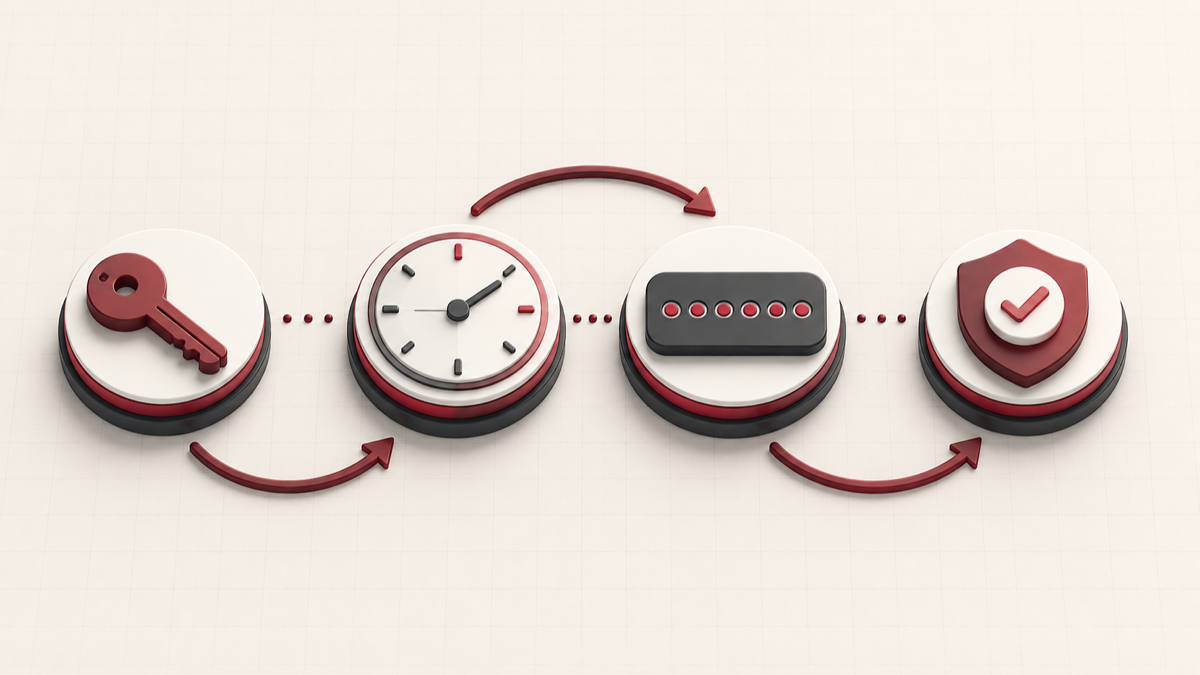
The exact flow varies by service, but a typical sign-in follows four steps:
- You enter your username and password.
- The service verifies the password and requests a second factor.
- You approve a notification, insert a security key, or enter a temporary code.
- The service validates that second proof and grants access.
The extra step reduces the value of a stolen password. It does not make an account impossible to compromise, but it removes many password-only attacks.
What is a TOTP code?
TOTP stands for time-based one-time password. During setup, the website and your authenticator receive the same private setup key. Your authenticator combines that secret with the current time to calculate a short code, normally six digits, that changes about every 30 seconds.
The website performs the same calculation. If the code you enter matches the expected value for the current time window, it accepts the second step. No text message is required, and the device can usually calculate codes while offline.
If you already have an authorized Base32 setup key, you can use our browser-based 2FA code generator to calculate a TOTP code. Read how to find a 2FA secret key before entering anything, because a password or recovery code is not the same value.
Common types of 2FA
Authenticator app codes
Authenticator apps generate TOTP codes from a shared secret. They work without mobile reception and are widely supported. The main risks are losing the device without a backup or exposing the setup key.
SMS or voice codes
A service sends a temporary code to your phone number. SMS is accessible and better than using only a password, but it can be exposed to SIM-swap attacks, number reassignment, interception, or delivery problems.
Push notifications
An app asks you to approve or deny a sign-in. Push verification is convenient, but you should read the prompt carefully and reject unexpected requests. Repeated prompts can be an attempt to make you approve by accident.
Hardware security keys and passkeys
Security keys and passkeys use public-key cryptography and can provide stronger protection against phishing. Where available, they are often a better primary choice for important accounts, with recovery methods stored safely.
Backup codes
Recovery or backup codes are emergency credentials, not everyday TOTP codes. Store them offline or in a secure password manager and mark each one as used when appropriate.
Is 2FA the same as MFA?
MFA means multi-factor authentication and covers authentication using two or more factor types. 2FA is the specific case where exactly two factors are required. In everyday product interfaces, the terms are often used interchangeably.
How to enable 2FA safely
- Open the official security settings for the account.
- Choose an authenticator app, passkey, or security key where supported.
- Scan the QR code or enter the manual setup key on a trusted device.
- Enter the first generated code to confirm setup.
- Download recovery codes and store them separately from your everyday device.
- Add a second recovery method if the service supports one.
Never share the QR code or manual setup key. Anyone who obtains the secret can generate the same future TOTP codes. Our Privacy Policy explains how the public tool handles authentication inputs.
Why is my 2FA code being rejected?
The most frequent TOTP problem is an incorrect device clock. Other causes include using an expired code, copying the wrong secret, selecting the wrong authenticator entry, or trying to use a backup code in a TOTP field. Follow our ordered checklist when a 2FA code is not working.
Frequently asked questions
Does 2FA replace a strong password?
No. Use a unique password for every service and enable 2FA as an additional layer. A password manager can help create and store unique passwords.
Can 2FA be hacked?
No security control is absolute. Attackers may use phishing, session theft, malware, recovery-process abuse, or stolen secrets. Phishing-resistant methods such as security keys and passkeys reduce several of these risks.
Should I use an online 2FA generator?
For long-term daily use, a trusted offline authenticator or hardware-backed method is generally preferable. A browser tool can be useful for authorized testing or temporary workflows, but only on a device and browser environment you trust.
The short answer
2FA protects an account by requiring two different kinds of proof. TOTP authenticator codes are a common second factor, while passkeys and hardware security keys can offer stronger phishing resistance. Whichever method you choose, protect recovery codes and setup secrets as carefully as passwords.